Quick App Manager v3.5.3Requirements: Android 1.5 and upOverview: 5 in 1 quick application manager for your android device
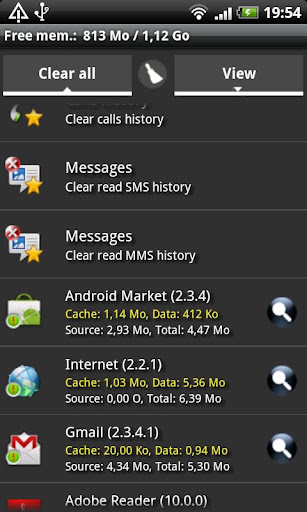
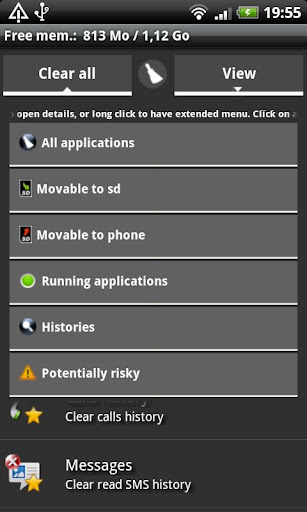
Quick App Clean Cache becomes Quick App Manager, a complete and powerful application manager :- Cache cleaner- History cleaner- Task killer- App 2 SD manager (for Android 2.2 or higher)- Mobile traffic
- Plus! A security tool helper that displays non system applications using potentially risky permissions.
�??�?? NOTE �??�??When after update to 3.5 "Clear all" function does not work anymore, go to Menu/Settings and check "Force cleaning"
�?? Cache cleaner �??- Clear all caches at once WITHOUT BEEING ROOT- Clear cache for a specified application- Auto clear all caches at a specified interval- Notification for a specific total cache size- List applications by either cache, data, source, total size, name, running, running app or system- Show application details page- Ignore list for the clear all process (root only)- Favorites to keep in top of list- Widget one tap clear all
�?? Task killer �??- System or application- Kill all selected at once- Soft kill or system force close- Ignore list for the kill all process
�?? History cleaner �??Clear following histories:- Call logs- Read SMS/MMS- Browser history- Market search- Gmail search- Quick search bar history- Maps search- Navigation history- Youtube search- Clipboard data- Frequent calls :Only for suppliers using based Android "Contacts" application (HTC excluded for example)- And all apps using android search history API- Display histories entries when available- Ignore list for the clear all process- Favorites to keep in top of list
�?? App to SD manager (Android 2.2 or higher) �??
App2SD facility tool:- List movable apps- Move one or all apps to SD card (manual assist)- Move app back to the internal storage
�?? Security help �??Displays all non system applications using potentially risky permissions
�?? Mobile traffic �??Once activated, allows to monitor mobile traffic for each application, daily, weekly or monthly
�?? Widget notes �??Sometimes have to reboot phone before seeing widget in list at firt install or update.Avoid to install the application on the SD card if you want to use it.
�?? Force close after update �??May rarely happen, just uninstall and reinstall
�?? Remark / Issue �??Please send mail, comments rarely watched
Android 1.5 to at least 2.3r1, optimized for 2.2 or higher
Support/updates only for Android 2.0 or higher
More Info:
https://play.google.com/store/apps/details?id=com.cerisierbleu.qac Download: Released by chathu_acDownload file Quick_App_Manager_v3.5.3.apkhttp://turbobit.net/ohczxf2bult4.htmlQuick App Manager v3.5.3.apk download Extabit.com - file hosting

No comments:
Post a Comment